Natural Gas and LNG Flow and Pressure Drop Calculator

Pipe Diameter, Flow Rate, and Energy Analysis for Natural Gas Systems

calculator available since 2006
Choose Your Preferred Way to Calculate

Online Calculator

Online pipe flow calculator

Access anywhere. No install needed.

Free Limited Version
🌐 Use Online Calculator

Desktop App

Pressure drop calculator

Desktop full-featured version.

Free Trial Available
⬇️ Download for Windows ⬇️ MacOS / Linux

Natural gas calculator

This calculator is designed for the analysis of pressure drop, flow rate, and pipeline sizing in natural gas distribution systems.

It supports natural gas flow calculations by modeling the gas either as an incompressible fluid or as a compressible fluid, depending on the selected calculation approach and operating conditions.

In addition to frictional pressure losses along the pipeline, the calculator also accounts for local losses caused by valves, fittings, and other flow disturbances.

The calculations are based on isothermal flow assumptions, meaning that the gas temperature is considered constant along the pipeline—from inlet to outlet. This approach is commonly applied in steady-state gas distribution analysis where heat transfer effects are negligible.

The calculator provides flow rates at both standard and actual operating conditions, taking into account the specified pressures and temperatures.

The standard reference conditions used are:

  • Pressure p = 101325 Pa (14.7 psi), and
  • Temperature 15°C (59°F) for metric units and 60°F for imperial units.

Actual flow rates are also reported at both the inlet and outlet of the pipeline

This calculator is not intended for scenarios involving rapid or significant changes in pressure or temperature, as such conditions typically involve adiabatic processes that are outside the scope of isothermal flow modeling.

Handling of Natural Gas Mixture Properties

When the working fluid is defined as a mixture of multiple components, the calculator determines its physical properties—such as density—by combining the properties of the individual components according to their specified volume or mass fractions.

Natural gas is a typical example of such a mixture, consisting primarily of methane (CH₄) with smaller proportions of other hydrocarbons. By using the selected gas composition, the calculator accurately evaluates mixture properties, ensuring reliable results for both engineering design and energy analysis applications.

Registration

Select a fair price and enable the full service:

  • Switch between metric and imperial units in one click
  • Export calculation results in Word .docx or Excel .xlsx format
  • Preview results on one place and copy/paste it in your favorite text editor
  • Send results back to your email
  • Support the future of this project

And even more... get access to the full set of 19 desktop calculators available for MacOS, Linux or Windows.

Full Year Service

Prepaid Monthly Cost
$3.33/month

Full year $39.95/year

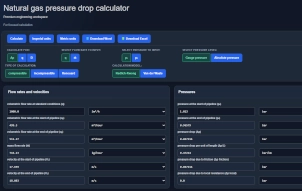
Calculate for:
Select values to input:
Type of calculation:
Calculation model:
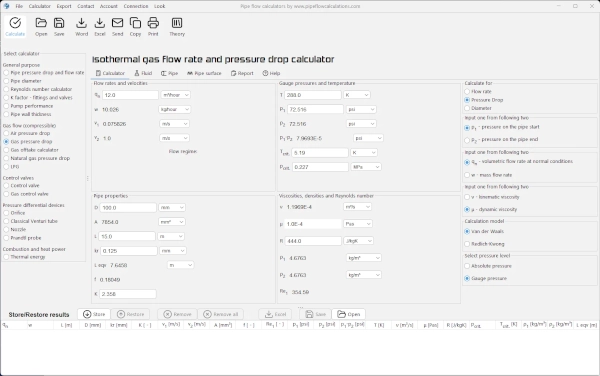
The first step Enter values, click calculate, view results
Flow rates and velocities
Pressures
Pipe properties
Gas properties

Exclusive Online Calculator

Enjoy a distraction-free experience — no ads, no clutter. Just the calculator, pure and focused, like a desktop app.
🔒 Available only to registered users 💡 Choose a fair price and unlock premium access
Use Exclusive Online Calculator

Description

q - volumetric flow rate at standard conditions
Volumetric flow rate of gas referred to specified standard pressure and temperature conditions, expressed as volume per unit time.
q₁ - volumetric flow rate at the start of pipeline
Volumetric flow rate of gas at inlet pressure and temperature conditions.
q₂ - volumetric flow rate at the end of pipeline
Volumetric flow rate of gas at outlet pressure and temperature conditions.
ṁ - mass flow rate
Rate of gas flow expressed as mass per unit time, constant along the pipeline under steady-state conditions.
V₁ - velocity at the start of pipeline
Average gas velocity at the pipeline inlet cross-section.
V₂ - velocity at the end of pipeline
Average gas velocity at the pipeline outlet cross-section.
p₁ - pressure at the start of pipeline
Gas pressure at the pipeline inlet, expressed as absolute pressure.
p₂ - pressure at the end of pipeline
Gas pressure at the pipeline outlet, expressed as absolute pressure.
Δp - pressure drop
Total pressure loss between the inlet and outlet of the pipeline.
Δp/L - pressure drop per unit of length
Pressure loss per unit length of pipeline, representing the pressure gradient along the flow direction.
Δp friction - pressure drop due to friction
Pressure loss caused by wall friction along straight sections of the pipeline, calculated using the Darcy–Weisbach equation.
Δp local - pressure drop due to local resistance
Pressure loss caused by fittings, valves, bends, entrances, exits, and other local disturbances.
L - pipe length
Total developed length of the pipeline section under consideration.
D - pipeline internal diameter
Internal diameter of the pipe used for flow area and velocity calculations.
kr - pipe internal surface roughness
Absolute roughness of the internal pipe surface, used in friction factor determination.
K - minor losses coefficient
Dimensionless loss coefficient used to quantify pressure losses due to local resistances.
Leq - equivalent length
Equivalent length of straight pipe that produces the same pressure loss as a local resistance.
f - friction factor
Dimensionless Darcy friction factor dependent on Reynolds number and relative roughness.
Re - Reynolds number
Dimensionless parameter used to characterize the flow regime of the gas.
T - gas temperature
Absolute gas temperature used in density and thermodynamic property calculations.
ρ₁ - gas density at the pipeline start
Gas density at inlet pressure and temperature conditions.
ρ₂ - gas density at the pipeline end
Gas density at outlet pressure and temperature conditions.
μ - dynamic viscosity
Dynamic viscosity of the gas used in Reynolds number and friction calculations.
cₚ - specific heat (heat capacity) at constant pressure
Specific heat capacity of the gas at constant pressure.
R - gas constant
Specific gas constant used in the ideal gas equation of state.

How to Use the Calculator

Using the calculator is straightforward. First, select the type of calculation required, then choose the flow parameters that should be entered as known values. The remaining flow parameters will be calculated automatically and displayed in the results.

Start by selecting whether you want to calculate:

  • Pressure drop
  • Flow rate
  • Pipeline diameter

Next, select the flow parameters that are known and need to be entered into the calculator.

Available input parameters include:

  • q – Volumetric flow rate
  • ṁ – Mass flow rate
  • P₁ – Pressure at the pipeline inlet
  • P₂ – Pressure at the pipeline outlet

Pressure can be entered either as absolute pressure or gauge pressure, depending on the selected option.

The calculator can determine pressure drop by treating natural gas as either a compressible or an incompressible fluid.

If the gas is treated as compressible, two compressibility factor models are available:

  • Redlich-Kwong
  • Van der Waals

All of these options can be selected before performing the calculation.

When Is the Natural Gas Flow Calculator Applicable?

The calculator can be used to calculate pressure drop, flow rate, or pipeline diameter. It is intended for circular pipes and natural gas in the gaseous state.

The calculator applies only to single pipelines and is not suitable for pipeline network systems. For pipeline networks, the Pipe Network Calculator should be used.

How Does the Natural Gas Calculator Work?

Based on the selected calculation type and the entered input values, the calculator uses formulas that relate pressure drop to flow rate and pipeline diameter.

The applied formulas correspond to either:

  • isothermal compressible flow, or
  • incompressible flow

depending on the selected calculation method.

If the goal is to calculate pressure drop or flow rate through a pipeline, the pipeline diameter must be entered. The calculator allows selection of standard pipes from three available pipe standards.

If the goal is to calculate pipeline diameter or pressure drop, the gas flow rate must be entered. The calculator allows input of either:

  • volumetric flow rate at standard conditions, or
  • mass flow rate.

If pressure drop is to be calculated, both the flow rate and the pipeline diameter must be entered, along with one of the two known pressures:

  • pressure at the beginning of the pipeline, or
  • pressure at the end of the pipeline.

In all cases, additional pipeline parameters must also be entered, including:

  • pipeline length
  • internal pipe roughness
  • local resistance coefficient
  • gas temperature

After performing the calculation, the calculator also provides additional flow parameters, including:

  • friction factor
  • Reynolds number
  • gas density at the pipeline inlet and outlet
  • gas velocity at the pipeline inlet and outlet
  • specific heat and gas constant
  • pressure drop per unit pipeline length

When Is This Calculator Not Applicable?

The calculator does not account for elevation differences along the pipeline. It also does not support calculations for pipeline networks.

Since the compressible flow calculation is based on an isothermal flow model, the calculator is not applicable to short pipelines with large pressure drops, where adiabatic flow effects are significant.

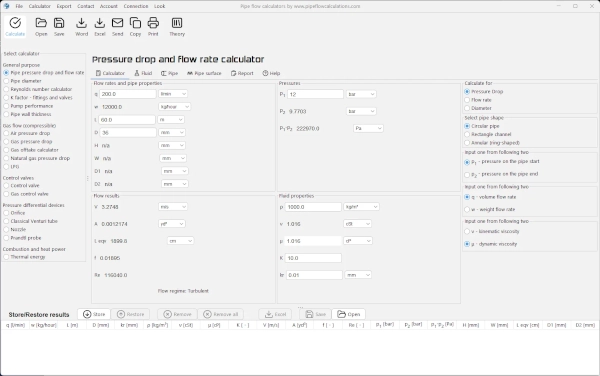
Desktop App

Pressure drop calculator
Professional-grade pipe flow calculations
Fast. Accurate. Reliable.
Free Trial Available
Win Download MacOS / Linux

Features in desktop app

  • Save/Open multiple results
  • Export to Word and Excel
  • Print results
  • Create list of custom fluid properties
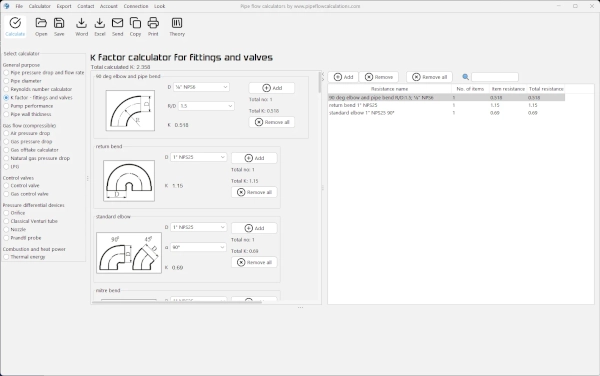
  • Resistance factor K for valves/fittings
  • Pipe surface roughness selection
  • Pipe material selection
  • Gauge vs absolute pressure toggle
  • Compressible isothermal flow
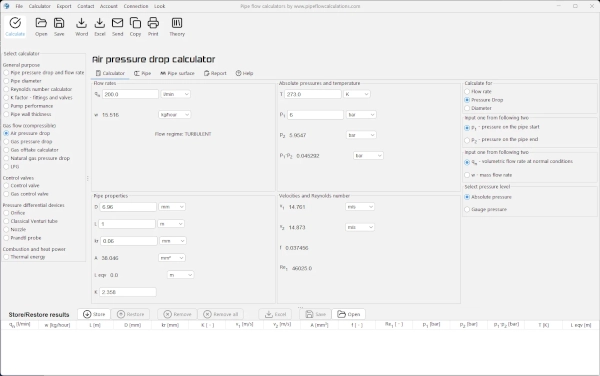
  • Dry air isothermal flow
  • Gas offtake flow
  • Natural gas flow
  • No admin rights required to install

Need a helping hand?

Powered by natural intelligence - NI

calculation_guru

If you need a quick calculation, but you are not still familiar how to use the calculator, you can order calculation service from the calculator developer.

📋 Order calculation service

Watch Examples

Calculator start selection

Read all about available deployments. In any way of utilizing calculator, Internet connection is not required, but nice to have for authentication at least.

Issues and answers

Having problems with calculators usage? Read more about known issues and problems and way to solve it.

Issues and answers